Payroll Management Software Development in UAE: Cost, Features & Process
Key takeaways: Payroll software development cost in UAE can range from around AED 40,000 to AED 350,000+, de [...]
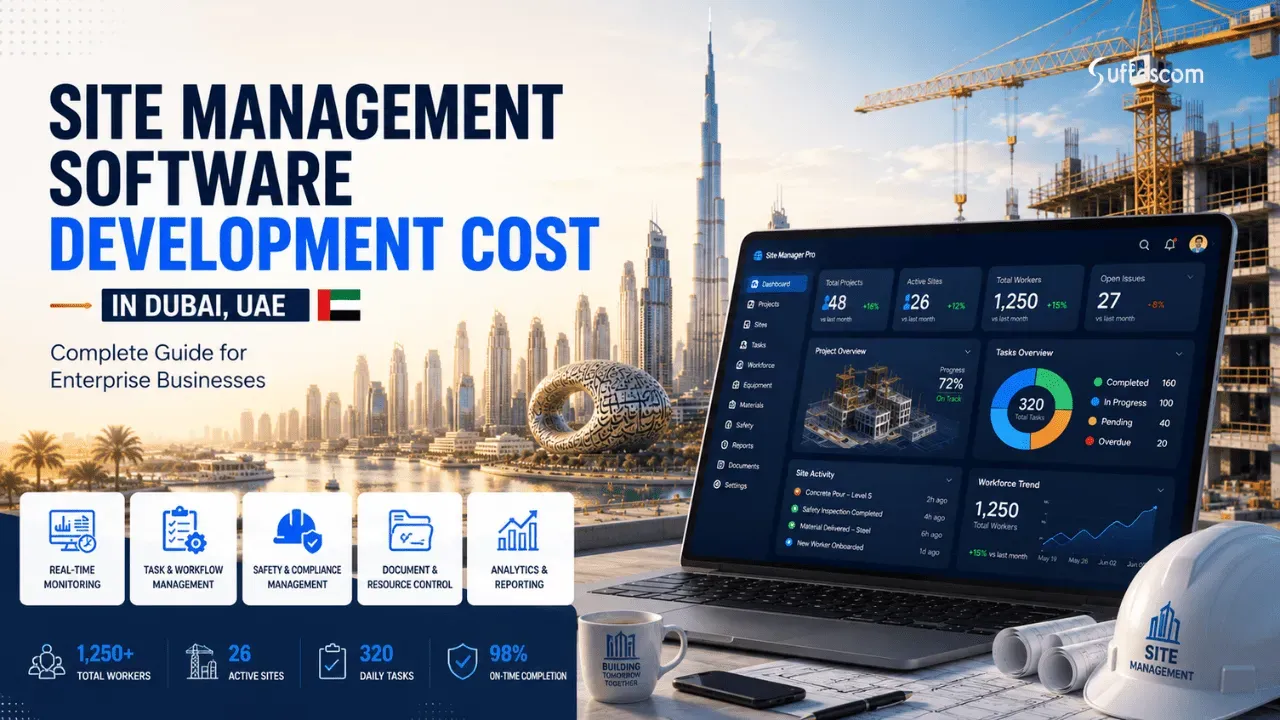
The construction industry in Dubai is booming. Dubai Municipality has received over 30,000 building permit applications, rising by 20% from the previous year, for the built-up space of over 5.5 million square metres for implementation in the first half of 2025. The UAE construction and design software market was valued at USD 347.4 million in 2024 and is projected to reach USD 615.6 million by 2030, growing at a CAGR of 10.7%. This growth also equates to more sites, teams, documents, deadlines and daily operations for contractors, developers and project owners. This is where the site management software development cost in Dubai becomes significant. Still, the question is, how much should you invest? The answer will vary based on the features, complexity, integrations, security requirements, and software development approach of your software.
In this guide, you will learn about the typical expenses, critical elements, development considerations, and scheduling requirements, all of which will help you avoid an unexpected financial burden.
The cost of site management software primarily hinges on the features and functionality, the number of roles and permissions for users, the complexity of the workflows, integrations, and automation needs. A contractor working on a small number of projects might only need something very specific, such as an MVP, while a more extensive construction firm might need a platform that offers advanced reporting, financial controls, workforce management, document management, and real-time field updates.
In terms of practical guidelines for budgets, custom development can cost anywhere in the following ranges:
| Software Type | Estimated Development Cost | Typical Timeline | Suitable For |
| Basic MVP | AED 25,000–50,000 | 2–3 months | Small contractors/startups |
| Standard/Business | AED 55,000–120,000 | 4–6 months | Growing contractors |
| Advanced Platform | AED 120,000–200,000 | 5–9 months | Multi-project companies |
These are only indicative and should not be used as an actual quotation. For instance, an MVP might include key functions like project dashboards, task allotments, daily site reports, attendance tracking, uploading photos, and basic document management. A standard system can be enhanced with approval workflows, scheduling, tracking expenses, coordinating subcontractors, notifications, and analytics.
Site management software is a digital tool designed to streamline and manage various activities on and around a construction site. Teams can capture and share operational information in one system instead of paper reports, spreadsheets, messaging applications, and isolated files.
The software produces one information stream through the project hierarchy so that each participant can view and respond to information that is relevant to their job:
Current platforms are able to consolidate project coordination, activities management, document control, daily reporting, inspections, snagging, information for staff and field data. This can be especially helpful if several teams or subcontractors are operating in various locations and decision-makers require up-to-the-minute information without having to wait for manual reporting.
Site Management Software vs Construction Project Management Software
The two are similar, but with a key distinction. Site management software is usually more field-based, and construction project management software covers wider commercial and administrative project controls.
| Area | Site Management Software | Construction Project Management Software |
| Primary focus | Field operations and site coordination | End-to-end project management |
| Field operations | Core focus | Usually supported |
| Daily site reports | Essential | Common |
| Task management | Core | Core |
| Snag/defect tracking | Core | Common |
| Inspections & quality control | Core | Common |
| Site photos & field updates | Core | Supported |
| Document & drawing management | Common | Core/common |
| Scheduling | Common | Core |
| Workforce management | Strong | Variable |
| Budget & cost management | Optional/advanced | Core |
| Procurement | Optional | Often included |
| Subcontractor management | Common | Common |
| Communication & collaboration | Field-focused | Project-wide |
| Reporting & dashboards | Site-focused | Project-wide |
| ERP integration | Advanced implementations | Common |
This distinction in practice is not always clear-cut. Field management, scheduling, cost control, procurement, and enterprise integrations are just some of the features that larger construction platforms might integrate. The best architecture is determined by the organisation's processes, project size, and complexity of operations.
The complexity, development time and investment needs of a site management platform are directly affected by the feature set. A simple system can just take in daily reports and assign jobs, but an enterprise solution can link up field operations, scheduling, procurement, cost control, document workflows and analytics.
They can have a real-time view of operational performance through a central dashboard, which also enables project stakeholders to monitor the performance of each project. Users do not need to view several spreadsheets or reports, as all project information is available on one interface.
Your car dashboard might show the following:
If your company is dealing with multiple projects, the dashboard can offer website-level and portfolio-level visibility. This becomes more complicated when there's a need to filter data across several modules and display it on user-specific dashboards depending on user permissions.
Task management enables supervisors and project managers to break down project needs into manageable tasks. Users can assign tasks to employees, subcontractors or teams and set priorities, deadlines, dependencies and completion criteria.
Useful capabilities include:
In a "more advanced workflow", the person responsible can be automatically notified when a task is assigned, is approaching a deadline or has been blocked by another activity. These workflow rules introduce development complexity but can help to minimise manual follow-up.
One of the most useful features of a field-orientated system is the daily site report. Supervisors are able to capture what occurred on-site without having to manually gather information at the end of the day.
The following can be covered in a daily report:
The value is found when these reports are linked with other project records. For instance, a supervisor can submit labour attendance, completed work, material usage, and site photographs through one report instead of sending separate updates through spreadsheets and messaging apps.
A huge amount of drawings, BOQs, contracts, permits, inspection records, specifications, correspondence and more are created during construction. These files are organised and accessible via a document management module.
Important capabilities include:
If there are multiple versions of a drawing or specification, it is especially crucial to ensure that version control is maintained. Users must be aware of the current document and its approval.
Snagging assists teams in discovering incomplete, faulty, or non-compliant work and monitors it until resolved. When a supervisor or inspector is at the site, they can create an issue directly from the mobile application and have a mobile-first workflow.
Common snag attributes are:
For large projects, location tagging can be very beneficial. A defect may be linked to a building, floor, room, or zone or to any area defined. For example, a site engineer identifies a damaged finish, tags its exact location, attaches a photograph, assigns it to the responsible subcontractor, and sets a closure deadline.
An RFI, or Request for Information, is used to seek clarification on drawings, specifications, site conditions, materials, or other project requirements. When an RFI process is not managed well, it can be spread out in emails and on messaging platforms.
A software platform can help to streamline the full RFI process with all of the following:
This workflow model can be used to enable a variety of other project approvals, such as submittals, material approvals, change requests, inspection requests, etc. In addition to automated routing and escalation to minimise delay, care must be taken to carefully configure the workflow during development.
Scheduling functionality enables teams to outline activities, milestones, dependencies, and when they think it'll be finished. A Gantt chart is a visual representation that shows the relationships of activities over the project schedule.
Typical scheduling features:
If the project is more substantial, incorporating scheduling into task management can give a more precise view of how each job affects the delivery of the project.
Financial functionality takes the platform beyond the simple provision of field coordination. Project teams can monitor costs according to approved budgets and monitor purchases, suppliers, invoices and materials.
The module may contain the following:
If the software is required to communicate with accounting / ERP systems, the cost management gets a whole lot more complicated. It could be necessary to develop data synchronisation, financial permissions, tax handling, approval hierarchies and audit trails. A financial module is not necessarily required in the first release. If there is an existing accounting system, integration might be a better approach than rebuilding accounting functionality within the site management system.
In construction environments, workers may operate in basements, remote locations, or areas with unreliable connectivity. An offline-first application can temporarily store forms, photos, task updates, and inspection records on the device. When connectivity returns, the app synchronises pending changes with the central server.
An application designed for a specific location can be used to support the following:
One of the important things to note is that it is an offline function. Construction sites can lack or have inconsistent signals and internet connections, particularly when working in remote areas or unfinished buildings. 'Offline' can mean that if a user is unable to connect, they can collect data locally and sync it when they do.
Once operational data has been gathered, it is translated into information project teams can use for decision-making, which is the role of analytics. Typical reports include productivity, task completion, delays, workforce utilisation, snag condition, cost, and progress reports.
Advanced platforms may incorporate AI functions like the following:
For instance, an analytics engine can detect that there are recurring delays in the same kind of activities, and an AI-powered search tool can guide users through a large document repository to find the relevant information. Incorporation of Artificial Intelligence must be based on a well-defined business use case, not on the basis of being technically possible. Data quality, model selection, API usage, security, access controls, and human review are also factors that need to be taken into account. This could have a significant impact on upfront development expenses and continuous operating expenses.
The best solution is generally to prioritise features based on operational value and consider other options to meet the budget. Basic field capabilities can be the starting point for the first product, and as the platform evolves, it will feature advanced financial modules, enterprise integrations, complex analytics, and AI features.
A good estimate will consider the cost of more than one package. The software development cost in UAE typically depends on the amount of discovery, design, engineering, integration, testing, and deployment that's required. This will need significantly less effort than if it is an enterprise system that connects with multiple projects, mobile teams, ERP systems, financial data and complex approval processes.
Here is a practical example of a distribution of a custom project budget:
| Development Component | Approx. Share of Budget |
| Discovery & requirements | 5–10% |
| UI/UX design | 8–12% |
| Backend development | 20–30% |
| Web/mobile frontend | 20–30% |
| Integrations | 10–20% |
| QA/testing | 10–15% |
| Deployment | 3–5% |
| Post-launch support | Variable |
These are planning percentages and not norms for the industry. The exact distribution will vary greatly depending on the product architecture, platform count, third-party integrations, security requirements, and complexity of features. For instance, the engineering and testing of an application that is designed to work offline on mobile devices can be significantly higher than that for an internal application that is only browser-based.
Discovery sets the groundwork for what the software will actually perform prior to development. This stage usually includes requirements workshops with project managers, supervisors, site personnel, contractors, and others.
The team can record the following:
This is a crucial step for a construction platform, as different projects and companies may have different workflows. By mapping the existing process, it is possible to identify manual steps that are not needed and avoid implementing features that do not address an actual operational need. A complete requirements document also provides a better foundation for estimating effort, resources, and time for the development team.
The UI must be usable for desktop users as well as mobile users in a site environment. Common tasks should be completed quickly by a field worker, even in difficult tasks or protective clothing.
Typically, UI/UX planning includes:
There may also be various views of the dashboards for supervisors, project managers, contractors and management. Good design minimises any need for unnecessary navigation and ensures that key information is readily accessible. The need to support multiple languages may create additional design and testing requirements, especially if the user interface will have to accommodate multiple lengths of text, directions, terminology, and formats of documents.
The back end is the backbone of the platform. It's responsible for business logic, data processing, authentication, permissions, integrations, and communication between the web and mobile interfaces.
The typical backend development consists of the following:
As more projects, users, transactions, documents and concurrent activities are added to the software, the significance of backend architecture grows for site management software development cost. Some multi-tenant architecture might also be needed if the one platform caters to several organisations, keeping their data logically separated. Security controls, encryption, backups, logging, and access management should be taken into account at the architecture level, not during development.
Site teams can be away from a desktop, which can result in a considerable part of the development budget being invested in mobile development.
The development method will impact engineering and costs:
| Approach | Cost Impact | Best For |
| Android only | Lower | Field-first teams |
| iOS + Android | Medium | Larger organisations |
| Cross-platform | Potentially efficient | Multi-platform rollout |
| Native apps | Higher | Advanced device requirements |
It can be suitable to develop only for Android if the employees mainly work with Android devices. Android and iOS support will widen testing and maintenance requirements but may be required when employees, consultants, or management teams use different devices.
One of the major benefits of cross-platform development is that it can minimise the repeated development effort by enabling developers to leverage a significant amount of code between platforms. But in any given project, it's not always the lowest-cost option. The final architecture may change due to device-specific capabilities, the requirement for offline storage, the need for camera functions, background processing, and performance needs.
The mobile scope should also be able to do offline work and provide access to cameras, GPS, push notifications, local data storage, background sync and media upload in the construction environment. These can make a significant impact on engineering and QA effort.
Finally, a mobile app model will be most useful if it links each development cost with a specific business need. This allows one to make a better decision on what capabilities to include in the first release and what ones can be added in subsequent development stages.
Building construction software does not have a standard price. The final cost will also depend on the functionality the platform requires, the users it serves, the number of projects it will be able to handle and the level of integration it needs with existing systems.
Each subsequent module adds design, development, testing and maintenance requirements. The scope of a basic platform that supports task management and daily reporting will be smaller than when a system is implemented that includes project management, document control, procurement, workforce management, budgeting, inspections, and analytics.
The estimate ought to be based on scope of work and not just the number of screens. If you have a feature that has intricate approval processes or some data dependency, you may need significantly more engineering than a few simple screens.
The user volume influences the architecture, design of the database, permissions, performance needs, and infrastructural planning. Different technologies are needed for a platform that has 50 users and two locations versus one that has thousands of workers and dozens of projects.
In addition to this, several locations may need the following:
Scalability should be thought of during the architecture phase, not when the platform is proving to be hard to scale.
For project managers and office staff, a browser-based experience might be enough, but field staff might require a dedicated mobile experience. When creating both web and mobile applications, the potential for scope grows since it's important to cover interfaces, device behaviour, testing, notifications, permissions, and offline functionality in various contexts.
In addition, mobile development might involve the following for field-heavy operations:
The right way will depend on who is doing each workflow and where they're doing them. It is not always required to build all the interfaces from scratch.
Translating button labels is not enough to support both Arabic and English. The application should support right-to-left (RTL) layout, expansion of text, different date and number formats, searchable content and notifications, and validation messages, as well as multilingual documents if applicable.
The localisation architecture should be set up at the start of the development process. The addition of bilingualism after the interface is designed around one language can add to the redesigning and testing costs.
Each external system has its own API, authentication requirements, data structure, limitations, and testing requirements, which can have a tremendous impact on development effort.
Some possible integration points are:
A tool which imports just a few bits of data is very different from a two-way synchronisation system that is transferring financial or operational records on an ongoing basis. The estimate should take into consideration issues such as API availability, documentation quality, authentication, data mapping, synchronisation frequency, error handling, and continuous API maintenance.
The financial functionality is complicated due to the fact that construction businesses tend to have layers of approval and project-specific cost tracking.
Requirements may include:
If the platform is required to connect to an existing ERP or accounting system, the development team must also connect the data from both platforms.
But, for companies that are considering ERP development in Dubai, the scope can actually widen as ERP functionality can extend beyond finance, procurement, inventory, workforce, projects, and other business operations. During discovery, it is important to have a distinct separation of ERP and site-management layers.
There is the additional complexity of BIM and technical drawing requirements. A simple system could simply store drawings, while a more complex system would require users to check models, link issues to locations, or integrate project information with building components.
The range may be:
The level of interaction with BIM is a significant factor. It is a very different matter to simply store a BIM file, and it's another matter again to create an interactive BIM file viewer or integrate a BIM file viewer into an external BIM environment.
Advanced technologies may lead to higher development and infrastructure needs, and the cost of such technology is dependent on the case.
These are some of the possible uses of AI:
IoT requirements could involve collecting information from equipment, sensors, access systems, or other connected devices. Analytics can be as simple as dashboards or more complex predictive modelling that leverages past project information. More advanced solutions involve more work on data pipelines, data quality and integration, processing power, monitoring, and data validation.
A measurable business requirement should be the basis for these features. Just for the sake of appearing sophisticated, incorporating AI or IoT may not necessarily provide the same operational benefit without additional investment.
Construction platforms may comprise business-sensitive information, project files, employee info, monetary information, and contractual information. Therefore, security needs to be considered throughout the development lifecycle.
This could encompass:
However, permissions can be especially tricky when users are involved in several projects. Some areas may be accessible to a supervisor, and some may not or have restricted access, while consultants may only be required to have access to selected documents or approval workflows. Another reason that audit trails are important is when businesses want to know who made, changed, approved, or closed a specific record.
The software should have infrastructure that is able to handle its anticipated user volumes, database operations, document storage, media uploads, backups and integrations.
These are just a few points that can be incorporated into infrastructure planning:
The storage needs of a field platform containing thousands of photographs and videos will be vastly different from the storage needs of an app that is mostly a text-based application. The long-term budget should also consider the post-launch maintenance. Applications must be updated for security, bug fixes, operating system, infrastructure monitoring, dependency enhancements and updates if third-party APIs are changed.
The type of site management software being developed can significantly affect the overall project cost. A focused application for daily site reporting, task management, and attendance tracking will generally require a smaller scope than a comprehensive construction management platform.
For example, a basic field management system may focus on inspections, work orders, site reports, and issue tracking. In contrast, an advanced construction platform may combine project scheduling, budgeting, procurement, document control, subcontractor coordination, ERP integration, and multi-site reporting. The broader the operational scope, the more complex the development, testing, integrations, and long-term maintenance become.
Development teams can use the following checklist to pinpoint areas for scope expansion prior to making a quotation. This will help you know how to get an accurate software development quote!
| Cost Factor | Questions to Ask Before Estimating | Potential Cost Impact |
| Features and modules | Which functions are essential for launch? | More modules increase engineering and QA effort |
| Users and sites | How many users, projects, and concurrent activities are expected? | May require stronger architecture and infrastructure |
| Platforms | Web, Android, iOS, or all three? | More platforms increase development and testing scope |
| Languages | Is Arabic required alongside English? | Adds localisation, RTL, and testing requirements |
| Integrations | Which external systems must exchange data? | API development and synchronisation add effort |
| Financial workflows | Is budgeting or ERP integration required? | Adds business rules, permissions, and financial data handling |
| BIM and drawings | Storage only or interactive model/drawing capabilities? | Advanced visualisation can substantially expand scope |
| AI and IoT | What specific business problem will they solve? | Adds data, integration, infrastructure, and testing requirements |
| Security | What data requires restricted access and auditability? | Stronger controls increase architecture and testing requirements |
| Infrastructure | What growth, storage, availability, and backup requirements exist? | Determines hosting, monitoring, and scalability needs |
The decision of whether to use an off-the-shelf software solution or custom software isn't just about the initial cost. It will largely depend on whether the software must closely replicate the workflow, integrations, reporting, and operational needs already set up in the project.
| Factor | Off-the-Shelf | Custom Software |
| Initial cost | Lower | Higher |
| Custom workflows | Limited | High |
| Branding | Limited | Full |
| Integrations | Depends on API | Designed around needs |
| Scalability | Vendor-dependent | High control |
| Ownership | Subscription/licensing | Custom arrangement |
| Time to launch | Faster | Longer |
| UAE-specific workflows | Variable | Can be purpose-built |
Off-the-shelf platforms tend to be quicker to deploy, as the product has already been developed and tested. Usually, a business pays in the form of subscription, licences, implementation fees or a mixture of all these. They are a viable option when there are few, if any, operational needs that cannot be met with standard workflows.
There is a higher up-front cost involved in custom software development because the product is developed and engineered around a set of business processes. In UAE, a contractor can create their own approvals, dashboards, permissions, integrations and field processes, rather than having to fit their business into a "one size fits all" application for construction software.
The following are some of the key elements that make custom development more feasible for a business:
It may also work if the software is designed to be an internal platform for strategy as opposed to just tracking tasks.
For smaller contractors, start-ups or teams with more uniform needs, off-the-shelf software might be the more appropriate choice. It can offer core capabilities like task management, file storage, scheduling, reporting, and collaboration without the time and development resources of creating a new platform.
It's also a good option if the company needs to test its processes prior to investing in a bigger system. However, subscription fees, implementation, user licences, customisation, integrations, training and limitations (where implemented by the vendor) should all be part of the total cost.
In reality, it is important to consider the total installed cost and operating suitability as well as the lowest initial cost.
The site management software development cost and timeline will vary based on the scope of the product, the platforms, integration, tests, and complexity of the approval process. A typical range for planning a site management platform is as follows:
| Stage | Typical Duration |
| Discovery | 1–3 weeks |
| UI/UX | 2–5 weeks |
| MVP development | 6–10 weeks |
| Integrations | 2–6 weeks |
| QA/security | 2–4 weeks |
| Deployment | 1–2 weeks |
| Total | Approximately 2–12+ months |
Some of these stages may overlap. For instance, the back-end development could start before the final UI screens are completed. In the same way, it is important to begin planning for integration in the discovery phase, not the end.
Projects on the enterprise scale take longer to build because they are intended to accommodate multiple teams, projects, workflows, integrations, and user roles at scale. They are typically more complex and often involve advanced permissions, ERP or accounting integrations, data migration, security controls, detailed reporting and extensive testing, rather than just a simple MVP. There are more stakeholders involved in the review of requirements and approval of workflows. All of these layers must operate consistently over a number of construction sites for the software to be widely adopted.
Yes. A phased approach can help MVP development minimise the initial development scope while still having a long-term roadmap.
Phase 1: Core site operations.
Start daily reports, tasks, workforce records, snagging, documents and field updates.
Phase 2: Project and cost management
Schedule, budget, procure, approve and manage dashboards.
Phase 3: Integrations
Integrate ERP, accounting, BIM, storage, communication or other business systems.
Phase 4: AI and analytics.
Infuse predictive insights, automated reporting, document intelligence and risk analysis. The system may flag a project for review when repeated task delays and unresolved issues indicate a potential schedule risk.
This way, companies can test essential processes with real users instead of making the full investment. It also streamlines scope changes, as advanced features can be prioritised through feedback and live operational information.
The technology stack is the backbone of a construction site management platform. It impacts application performance, security, integration, scalability, maintenance and the overall development effort. The best technology stack for the estimation of site management software development cost depends on its specific needs and goals. After studying the user roles, workflows, expected traffic, mobile needs, current enterprise systems and future growth plans, the architecture should be determined.
The web application is usually used for dashboards, project views, reports, document management, scheduling, approvals and administration tasks. These interfaces can be developed using Vue, Angular or React.
For dashboards that are highly interactive or modular interfaces, React can be a good solution. Angular offers a more structured framework, which might work better for more extensive applications featuring complicated forms and procedures. If your team is looking for a relatively lightweight frontend structure, then Vue is an option.
When information from the construction site needs to be recorded directly by supervisors, engineers, inspectors and workers, mobile app development comes into play. Native Android and iOS development offers more access to operating-system-specific features, while Flutter and React Native can enable cross-platform apps to run on both platforms.
These are some of the things the mobile design should consider:
Offline functionality is worth noting, as it might not be possible to be connected to all the working construction sites. Relevant information should be able to be stored locally, with a secure connection enabled as soon as the Internet is available.
The backend has been designed to handle the business logic and serves as a communication medium between the front-end, mobile application, database and external services. The available languages are Node.js, Python, Java, and .NET; they are all viable options depending on project requirements.
The backend can be used in a construction platform for:
API performance, concurrent users, data isolation, logging, fault tolerance, and secure communication are also a part of the enterprise architecture that should be taken into consideration.
A construction platform can produce massive structured and unstructured data such as project records, employee data, task histories, photos, videos, drawings, contracts, inspection documents, and more.
Structured relationships between projects, users, tasks, approvals and financial records are well supported by SQL databases like PostgreSQL or MySQL. Depending on the architecture, NoSQL databases can be applicable in certain workloads where flexibility and high volumes of data are required.
An advanced platform might require data to be shared with multiple systems that are currently in place within a construction company. Typical places for integration are the following:
The number of integrations is NOT more important than the method of integration. While a one-way data import is relatively simple, a true two-way synchronisation between a site platform and an ERP is quite different.
Therefore, before deciding on architecture, it's best to first document the required workflows and systems for businesses planning construction management software in UAE. Adopting technology first and working around the business requirement can lead to excessive technical debt, integration issues and additional maintenance expenses.
The first development quotation is just one aspect of the investment. Continuous infrastructure, third-party services, maintenance, training, data migration, and security expenses are also associated with a construction platform. The site management software development cost can differ greatly based on the volume of projects, users, files, integrations, and support desired.
Your development quote is NOT your cost of ownership!
It is important for businesses to be aware of these costs in advance of development to ensure they have a realistic technology budget and do not have any unexpected costs after launch.
During construction, a tremendous amount of data can be generated. Project files can contain thousands of photographs, inspection videos, drawings, daily reports and contracts, and more.
The expense of the cloud can depend on the following:
Storage architecture is important, too. Infrastructure might be different for data that is accessed regularly, such as operational data, versus archived project documents and large media files. Companies should also determine the retention period for the project records and if older data can be stored in lower-cost archival storage.
Software isn't finished until it's actually in use. Applications need to be maintained to keep them secure, compatible and reliable.
Some post-launch work may involve the following:
As the platform grows, there may be more users and integrations that come with higher maintenance needs. The use of a documented support arrangement can help set response times, maintenance obligations and service package contents for an ongoing service.
The construction software is used by people with a lot of technical experience and people with very little. Project managers can have detailed dashboards, and site workers only a couple of mobile workflows for reporting, task updates and uploading photos.
The following might be included in training:
A phased rollout strategy allows organisations to train one project or team first, collect any usability issues, and then roll it out to other projects or sites.
Most businesses don't begin with a blank slate when they're getting ready to build a database. They might have years of project data in spreadsheets, shared drives, email archives, old projects, or departmental projects.
Migration can include the following:
Historical documents and records from a project might be difficult to locate due to variations in naming conventions and folder structures. Migration should be scoped separately, and it is not assumed that all of the information will be imported automatically.
Security costs involve more than just the login screen. A construction platform can control worker data, business documents, job details, monetary information, drawings, and contract information.
A security program will provide:
The type of controls required will be dependent upon the organisation, the information being processed, contractual requirements and applicable requirements. Once during discovery, it is important to document any security requirements so that they can be added to an existing architecture and may not cost as much as they would to add during construction.
When businesses are estimating the construction site management software development cost in Dubai, these costs must be added on top of the initial engineering costs. By considering the total cost of ownership (TCO), the true cost of the software can be determined over its useful life, and development proposals that are competing for the same amount of resources can be more easily compared.
The launch of the software is just the start. After a site management platform is in use for multiple projects, it requires ongoing technical care to ensure it is both secure and compatible with the projects and reliable to operate. Therefore, maintenance in itself should be allocated as a separate line item in the project quotation and should not be seen as an ongoing cost that is to be added indefinitely.
| Maintenance Area | Examples |
| Technical support | Bug fixes, troubleshooting |
| Security | Patches, monitoring |
| Infrastructure | Hosting, storage, backups |
| Product updates | OS/browser compatibility |
| Feature enhancements | New modules |
| Analytics | Dashboard/report improvements |
Support includes when issues are encountered in actual use, such as failed workflows, mobile issues, database or integration problems. There should be clear definitions of response time, severity, working hours and scope of the issues in a support agreement.
Examples of security maintenance include vulnerability remediation, access-control reviews, monitoring, backups, and security updates. NIST defines patch management as one of the most important activities for preventive maintenance; patches are designed to solve software weaknesses and functionality issues.
Cloud costs may be for databases, storage, backups, monitoring, data transfer, cloud hosting, etc. These costs can escalate with the growth of users, projects in action and documents and media uploaded.
Mobile operating systems, browsers, libraries, APIs and cloud services evolve. Work for compatibility might then be necessary even if the business does not demand a new feature. As for software, NIST also points out that software changes must also be managed and tested carefully, as they can cause a new operating or security problem.
Feature enhancements are not “routine maintenance”. Any time a new procurement module, workflow, dashboard or integration is added, it is typically assumed that it is an extra development effort.
For the UAE, creating a construction platform is not just about implementing an off-the-shelf project-management solution. The scope of the software and its architecture may be affected by a variety of factors, including local language preferences, financial procedures, workforce systems, data-handling needs, and multi-site operations. These requirements should be determined at discovery, rather than after the system is completed.
UAE VAT may need to be integrated into the financial processes of the platform if it handles payments, purchasing, expenses or project costs. As per the Federal Tax Authority (FTA), the standard rate of VAT in the UAE is 5%, with some supplies having a zero rate or being exempt.
The software might also require customisable tax codes, VAT calculations, records of invoices, report fields and accounting integration. These rules should be checked with the organisation's finance/tax adviser before automation.
Documentation is a crucial aspect of construction projects. Drawings, permits, contracts, RFIs, inspections, material submissions and approvals should have clear workflows. The system should set up a chain of authors, reviewers, approvers, rejecters, revivers and closers for each record and maintain a history of each record.
Attendance, employee records, payroll, leave and other HR processes may require workforce modules to be integrated. Payroll integrations should be tailored to the specific needs and labour processes of the employer where they are necessary. The Wages Protection System (WPS) is an electronic wage transfer system, which MoHRE describes as a system for monitoring wage payments for workers in UAE.
A contractor serving Dubai, Abu Dhabi, Sharjah and other emirates can require different permissions, project records, dashboards, document repositories, and reporting structures per site. Concurrently, the senior management might want to have a single view of the whole portfolio.
These are important considerations in the planning phase to consider, as they affect multi-tenant or multi-project architecture, location-based permissions, and centralised reporting.
Access to a site management platform should clearly define what each user can view, create, edit, approve or delete. A site worker may only need to see what is going on with their specific tasks, and a project manager may need to see what's going on at a project level.
Any major changes to documents, approvals, status changes or administration changes should be captured in audit trails. This establishes responsibility and simplifies the investigation of conflicts or determining a workflow change.
Developers should adhere to UAE official legislation and regulator guidance, rather than assuming that a specific feature will make software compliant. Federal laws, regulations, amendments and legislative updates are available in Arabic and English on the official website of the UAE's government legislation.
The business value of site management software should be seen beyond the features of the software in terms of operational improvements. A platform can create value by minimising administrative work, enhancing information dissemination and assisting teams to discover problems early. However, the true payoff will be influenced by adoption, project volume, workflow design and good project execution.
Useful KPIs to measure before and after implementation include:
Baseline performance prior to implementation. For instance, track the amount of time supervisors spend writing daily reports, the time it takes to approve, or the amount of time teams spend looking for project documentation.
A simple ROI calculation is:
ROI = (Financial benefit generated – software investment) ÷ software investment × 100
There may be a cost reduction in terms of administrative hours, rework expenses, processing time, more efficient use of resources, or revenue protection. Businesses should also keep an eye on how their business is performing in terms of operational KPIs, as not everything will be quantifiable until the benefits start to materialise in terms of money.
When it comes to selecting a software development partner for a construction platform, it's not just about comparing quotes. The right partner should be able to understand the information exchanges between the field teams, project managers, contractors, consultants and management, and then translate those exchanges into a reliable technical architecture.
Suffescom develops construction software based on real needs, not as a generic task-management program. Projects can be organised for tasks like daily site reporting, task assignment, inspections, snag management, document control, project approvals, workforce tracking, and project dashboards. This way, businesses can determine which features are necessary for the initial version and which can be added on as the platform expands.
Often, construction teams are distributed from one office to another project location or to several locations. In addition, Suffescom can create web-based dashboards for project managers and project management teams and mobile apps for supervisors, engineers, inspectors, and field workers. Project needs may require offline data capture, camera integration, GPS and push notifications, task updates, site reports, and access to documents, among other mobile capabilities.
In the typical large construction company, a site management platform is not isolated. It is part of a larger system. It may require integration with ERP, accounting, HR/payroll, procurement, BIM, cloud storage, or communications systems.
Our software development skills include API development and system integration, and integrations are not an afterthought but part of the architecture.
Writing code is only part of a successful software project. To ensure long-term reliability of the product, various stages of requirements analysis, UI/UX design, development, QA, deployment, infrastructure, monitoring, and maintenance are involved. At Suffescom, we offer software development services for the entire software development lifecycle, from the planning phase to design, development, testing, deployment, and post-launch support.
Site management software development cost can vary from AED 25,000 for a small and targeted MVP to AED 200,000+ for a complex and multi-project platform. The correct price will depend on the features, integrations, number of users, mobile needs, security, and scalability needs. Most importantly, the “cheap” one isn't always the best value for your money. The platform should address actual site issues and be scalable.
If you're not sure where your project belongs, a software development company can help you develop a clear project roadmap, realistic cost estimate, and scalable solution. Ready to make smarter decisions to build smarter site operations? Talk with our team that can take your ideas from concept to deployment.
The basic site management software development cost can begin at AED 25,000 – 50,000, and typical business platforms can range from AED 55,000 to 120,000. Once the use of multiple applications, complex flows, integrations, analytics, and enterprise-level requirements is added, the price of the advanced platforms can be AED 200,000+.
No single average is applicable to all the projects. The investment required for a focused construction management platform may be lower than the investment required for an enterprise solution that integrates ERP and financial workflows, BIM, advanced permissions and analytics. There is also a wide range of software pricing in current UAE software pricing guides, depending on the complexity and scope of the software.
An app that just handles basic workflows like task management, daily reports, uploading photos, sending notifications and accessing basic documents will be on the lower end of the budget. Adding offline functionality, GPS, advanced permissions, integrations, and separate implementations for iOS and Android adds to the scope of development.
The price depends on the number of modules and the extent to which the system considers the company's workflows. This will be significantly more expensive than an internally developed platform with limited project management, document control and workforce management features, as well as enterprise connections.
The expected time to deliver a focused MVP is 2–3 months, and it could take 4–6 months to deliver a standard business platform. For advanced enterprise implementations, integrations, data migration, security testing and multiple applications can require 6-12 months or more time.
Typical modules contain project dashboards, task management, daily site reports, document management, snag tracking, inspections and approvals, scheduling, workforce management, notifications and mobile access. On advanced platforms, budgeting, procurement, ERP integrations, BIM, analytics, AI and predictive reporting can be added.
Not necessarily. When most of the business needs a standard workflow, and getting the software up and running quickly is more functional, it makes sense to use off-the-shelf software. Custom software is a more appealing option when the organisation has unique workflows, intricate integrations, proprietary processes, or needs that existing solutions are unable to meet effectively.
Yes. A platform can be integrated with ERP via API or through other integration methods supported by the ERP system. It could share data on projects, procurement, suppliers, inventory, finance, and workforce records or even other business processes as per the needs. Complexity will vary based on the ERP, API, data structure and whether sync is required, one-way or two-way.
This depends on workforces and work-device environments. For organisations with Android devices with their field teams, Android may be enough. When employees, consultants, managers or clients are on different platforms, it's better to support both Android and iOS. When the application logic is shared, it might also be appropriate to discuss cross-platform development.
No common or standard maintenance fee. Technical support, bug fixes, security updates, cloud infrastructure, backups, third-party APIs, operating-system support and new feature development are all costs that can be associated with it. These costs should be allocated from the initial development cost, and the agreement on maintenance costs should be explicit in terms of these costs.
Yes. An application can be designed to run in offline mode for capture of selected information and then synchronise with the central system when the connection is restored. Additional architecture is needed for local storage, synchronisation, conflict handling, data security and media management for offline functionality, so it should be considered as part of initial requirements.
Yes. Bilingual software can help facilitate both languages throughout all interfaces, forms, notifications, reports, etc. that are needed. RTL interface design, typography, search, formatting and testing are also required for Arabic support. These should be taken into consideration when planning for the UI/UX and architecture.
Yes. Multiple projects and sites can be supported in one environment with a well-designed platform. It can offer site-level permissions and dashboards and give project managers and executives a consolidated view of the portfolio. The architectural design should consider user access, data separation, reporting, storage, and growth of the project.
Yes. Artificial Intelligence can be utilised in scenarios like automated reports, document search, risk identification, predictive delay analysis, cost estimation, and project information classification. But before that, the case of the business should be fleshed out. With AI comes new data quality, API or model expense and security, testing, and human validation concerns.
Typically the top factors are feature scope, number of platforms, integrations, user roles, workflow complexity, security requirements, data migration, offline functionality, and scalability. While a multi-project platform with integration to ERP, accounting, BIM and workforce systems may be costly, a simple application with five basic workflows can cost significantly less.
Begin with a comprehensive requirements document that does an in-depth analysis of user roles, workflows, modules, platforms, integrations, languages, security requirements, expected users, and future scalability. A development team can then estimate discovery, design, engineering, QA, deployment, infrastructure, and maintenance separately.

Senior Content Strategist
Jonathan Raabe is a content marketing professional, focusing on mobile apps, software engineering, artificial intelligence, SaaS, cloud computing, and digital transformation. Jonathan works with visionary brands to translate complicated concepts into content that can be easily understood by their audiences. As an expert in his field, Jonathan strives to create content that is thought-provoking and backed by facts, while at the same time building brand authority and trust.



Related Blogs